Inside AWS’s 2026 Roadmap: Q&A on the Biggest Agentic AI Announcements
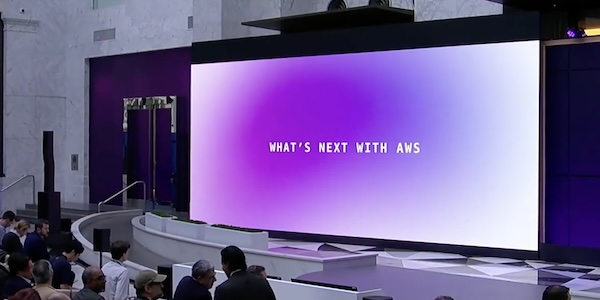
During the What’s Next with AWS event in 2026, AWS CEO Matt Garman, SVP Colleen Aubrey, CMO Julia White, and OpenAI leaders unveiled a suite of agentic AI tools designed to transform business operations. From a new AI assistant for work to a reimagined contact center platform, the announcements signal a shift toward autonomous, workflow‑embedded intelligence. Below, we break down the key updates in a question‑and‑answer format.
What is Amazon Quick, and why was it the flagship announcement?
Amazon Quick is an AI assistant that connects to your work apps, learns what matters to you, and takes actions on your behalf. It was the centerpiece of the event because it represents a major leap in how employees interact with AI – moving from passive chatbots to proactive agents that can manage calendars, generate documents, and even build custom applications. Starting immediately, users can download a new desktop app (preview) that works with local files, email, and calendars without a browser. Quick also introduces Free and Plus pricing tiers – sign‑up is possible with a personal email or Google/Apple/GitHub/Amazon credentials; no AWS account is required. The assistant can now create polished documents, presentations, infographics, and images directly inside the chat interface, and it connects natively to Google Workspace, Zoom, Airtable, Dropbox, and Microsoft Teams. Perhaps most impressively, Quick lets anyone build intelligent apps, dashboards, and web pages using natural language (preview).
How does Quick’s new desktop app enhance daily productivity?
The desktop app (now in preview) creates a personalized experience by staying linked to your local files, calendar, and communications – all without opening a browser. This means you can instruct Quick to find a file on your hard drive, check your schedule, or draft an email from the same interface. The app learns from your behavior and preferences, so over time it anticipates what you need and can execute multi‑step tasks automatically. For example, you could ask Quick to gather sales data from a local spreadsheet, incorporate it into a slide deck, and then email that deck to your team – all with a single natural‑language command. By removing the need to switch between browser tabs and desktop folders, the app aims to save hours each week and make AI truly ambient in your workflow.
What are the new Free and Plus pricing plans for Amazon Quick?
Amazon Quick now offers two straightforward pricing tiers. The Free plan lets anyone sign up in minutes using a personal email address or existing credentials from Google, Apple, GitHub, or Amazon – no AWS account needed. This plan gives you a generous set of features to explore the assistant’s core capabilities. The Plus plan unlocks higher usage limits, priority access to new features (like the custom app builder), and faster performance. While exact pricing wasn’t detailed during the event, the shift to consumer‑friendly sign‑up marks a strategic move to make AI accessible beyond the AWS ecosystem. Both plans allow you to generate visual assets, connect to dozens of apps, and use the desktop app. The key difference is likely in the volume of actions and premium integrations.
How does Quick generate visual assets on the fly, and what can it create?
Available immediately, Quick’s visual generation capability lets users create documents, presentations, infographics, and images directly from the chat interface – no design skills are required. You simply describe what you need (e.g., “a quarterly sales infographic with a blue palette”), and Quick produces a ready‑to‑use asset that you can refine with follow‑up commands. This feature is built into both the web and desktop versions, and it draws on Amazon’s generative AI models to ensure formatting and visual consistency. The goal is to eliminate the time lost in manual design tools: instead of opening PowerPoint or Canva, you can iterate within the chat. For teams, this means faster prototyping of reports, marketing materials, and internal communications, all while keeping the context of your conversation intact.
What is Amazon Connect Decisions, and how does it improve supply chain management?
Amazon Connect Decisions is an agentic AI solution for supply chain planning and intelligence. It moves teams from reactive crisis management to proactive decision‑making by combining 30 years of Amazon’s operational science with over 25 specialized supply chain tools. The system acts as an AI teammate that adapts to your business, learns from your team’s actions, and continuously improves operations. For example, it can predict demand fluctuations, suggest inventory reallocation, and flag potential disruptions before they occur – all without requiring manual data crunching. Because it’s part of the new Amazon Connect suite, it integrates seamlessly with other AWS services and third‑party ERP systems. The result is a smarter, more resilient supply chain that can handle volatility while freeing human experts to focus on strategic decisions.

How does Amazon Connect Talent streamline the hiring process with AI?
Amazon Connect Talent (currently in preview) is an agentic AI hiring solution built for talent acquisition leaders managing large‑scale recruitment. It delivers AI‑led interviews, science‑based assessments, and consistent evaluation criteria. The system helps recruiters find high‑quality candidates faster by automating initial screenings and behavioral assessments. Importantly, it provides a flexible interview experience for applicants – for instance, candidates can schedule an AI interview at their convenience, reducing the pressure of live interviews. The AI also minimizes human preconceptions by focusing on skills and responses rather than demographic factors. For organizations, this means faster time‑to‑hire, reduced bias, and more objective candidate comparisons. Talent integrates with existing HR platforms, so hiring teams can maintain their current workflows while adding an intelligent layer.
What changes with Amazon Connect Customer (formerly just Amazon Connect)?
Amazon Connect Customer, previously known simply as Amazon Connect, has been re‑engineered to deliver intelligent, personalized customer experiences across voice, chat, and digital channels. The major update is new configuration capabilities that let organizations set up conversational AI in weeks, not months – and even configure experiences without deep technical expertise. For example, business users can now define intent flows, responses, and escalation rules using a visual interface. The platform also includes improved analytics and sentiment detection, enabling real‑time adjustments to customer interactions. Additionally, it now integrates more deeply with the other Connect solutions (Decisions, Talent, Health), so a customer service agent can, with permission, check supply chain status or schedule a follow‑up interview – all within the same AI‑powered environment. This expands Connect from a single product into a full agentic AI suite.
What is Amazon Connect Health, and what role does it play in healthcare?
Amazon Connect Health is a new agentic AI solution tailored for healthcare workflows. It helps clinicians, administrators, and patients by automating repetitive tasks such as appointment scheduling, prior authorization, and patient follow‑ups. The system uses natural language processing to understand medical terminology and can integrate with electronic health records (EHRs). For patients, Connect Health offers a conversational interface for checking symptoms, booking visits, or receiving medication reminders – all while maintaining HIPAA compliance. For healthcare providers, it reduces administrative burden so they can focus on care. Like the other Connect solutions, Health is designed to work within existing workflows rather than replacing them. Early adopters report faster patient intake and fewer missed appointments. The solution is built on the same agentic AI foundation as the rest of the Connect suite, promising continuous learning and improvement over time.
Related Articles
- 10 Ways AI Is Transforming Database Management (And Where It Still Falls Short)
- AWS Shatters Norms with AI Agents and Amazon Quick at What's Next 2026
- freeCodeCamp Launches 13-Hour IT Fundamentals Bootcamp for Absolute Beginners
- Mastering Human Data Annotation: A Practical Guide to High-Quality Training Data
- The Vital Role of High-Quality Human Data in Machine Learning
- How to Build Your Personal Knowledge Base: A Step-by-Step Guide for Gen Z and Everyone Else
- Safeguarding Reinforcement Learning Agents Against Reward Hacking: A Practical Guide
- 7 Critical Reasons Gen Z (and Everyone) Must Build a Personal Knowledge Base Now