Mastering the Forza Horizon 6 Festival Playlist: Unlocking the Legendary Mazda Furai
Overview
Forza Horizon 6, the open-world racing phenomenon from Playground Games, is revving up for its global release next week. To kick off the live-service action, the Festival Playlist—the game’s rotating series of seasonal challenges and rewards—will go live on May 21st. And the very first series features one of Japan’s wildest concept cars ever: the Mazda Furai.
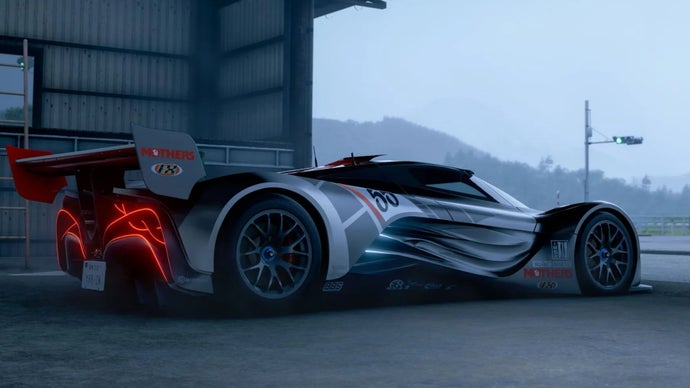
This rotary-powered, Wankel-engined beast is a rare gem that blends avant-garde design with a howling soundtrack. In this guide, we’ll walk you through everything you need to know about the Festival Playlist, how to earn the Furai, and how to avoid common pitfalls. Whether you’re a seasoned Horizon veteran or a newcomer, follow these steps to add this iconic car to your garage.
Prerequisites
Before you can start unlocking the Mazda Furai, make sure you have the following in place:
- Forza Horizon 6 – The full game, either physical or digital. Early access players can jump in ahead of the global release.
- Internet connection – The Festival Playlist is an online-only feature; you’ll need a stable connection to participate.
- Game updated to the latest version – Ensure you’ve downloaded the day-one patch (if any) to access the live content.
- A completed initial prologue – The Festival Playlist unlocks after finishing the introductory Horizon Adventure that introduces the Mexican setting and basic mechanics.
- Xbox Game Pass Core/Ultimate or Xbox Live Gold – Required on Xbox consoles for online features. On PC, a free Microsoft account suffices.
Step-by-Step Instructions: Unlocking the Mazda Furai
Step 1: Access the Festival Playlist
Once the game is running and you’re in the open world, press the menu button (usually Start on Xbox or Esc on PC) to open the main menu. Navigate to the Festival Playlist tab – it’s the one with a calendar icon. This screen shows the current season, active series, and all available challenges. The first series (Series 1) will appear from May 21st onward.
Step 2: Understand the Reward Tiers
The Festival Playlist awards points based on completion of events. A typical series offers a low-tier reward (like a common car) at a certain point threshold, and a high-tier reward (the Mazda Furai) at a higher threshold. For Series 1, the Furai is expected to be the high-tier reward – often requiring 140–160 points out of a possible ~180. Check the on-screen legend to see the exact requirement.
Step 3: Identify the Challenges
Scroll down the Festival Playlist page. You’ll see several categories:
- Daily Challenges – Simple tasks (e.g., “Complete a Street Race”), usually worth 1–2 points each. They reset daily.
- Weekly Challenges – A multi-part series of tasks (e.g., “Win a Cross Country race in a retro sports car”). Each chapter gives points, and completing all yields a chapter reward plus extra points.
- Seasonal Championships – Preset series of races with specific restrictions (car class, type, etc.). Win the championship to earn 3–5 points.
- PR Stunts – Speed traps, danger signs, drift zones, etc. Hit a target score in a specified vehicle to earn points.
- Forzathon Events – Community-wide co-op challenges that appear hourly.
Step 4: Prioritize and Plan
The Festival Playlist runs for exactly one week per series (each season lasts a week). You have from Thursday (May 21) to the following Wednesday to earn all points. Don’t leave everything to the last day! Start with Weekly Challenges because they give the most points (often 20–30 total) and are time-consuming due to multiple chapters. Then tackle Seasonal Championships and PR Stunts. Sprinkle in Daily Challenges whenever you play – they add up over the week.
Step 5: Complete the Weekly Challenge for the Furai
While the exact weekly challenge for Series 1 hasn’t been officially detailed, historically these challenges require you to use a specific car type. For the Furai, the theme is likely “Japanese Concept Cars” or “Rotary Engines”. Example steps:
- Chapter 1: Drive any car with a rotary engine for 10 miles. Use a Mazda RX-7 or RX-8 from your garage – you can buy one from the Autoshow if needed.
- Chapter 2: Win a Road Racing event in a Japanese concept car. If you don’t own one, check the Festival Playlist car rental option (often available for free). Some events allow you to borrow a suitable car.
- Chapter 3: Earn 5 stars from PR Stunts in a rotary-powered car. Use fast travel to hit speed traps and danger zones.
- Chapter 4: Complete a Cross Country circuit in the Mazda Furai (yes, you can use the reward car early if you’ve unlocked it from a previous series – but for Series 1, you’ll need to complete the challenge before claiming).
After finishing all chapters, you’ll earn the weekly reward (often a Super Wheelspin or exclusive car) and a big chunk of playlist points.
Step 6: Earn Enough Points for the Furai
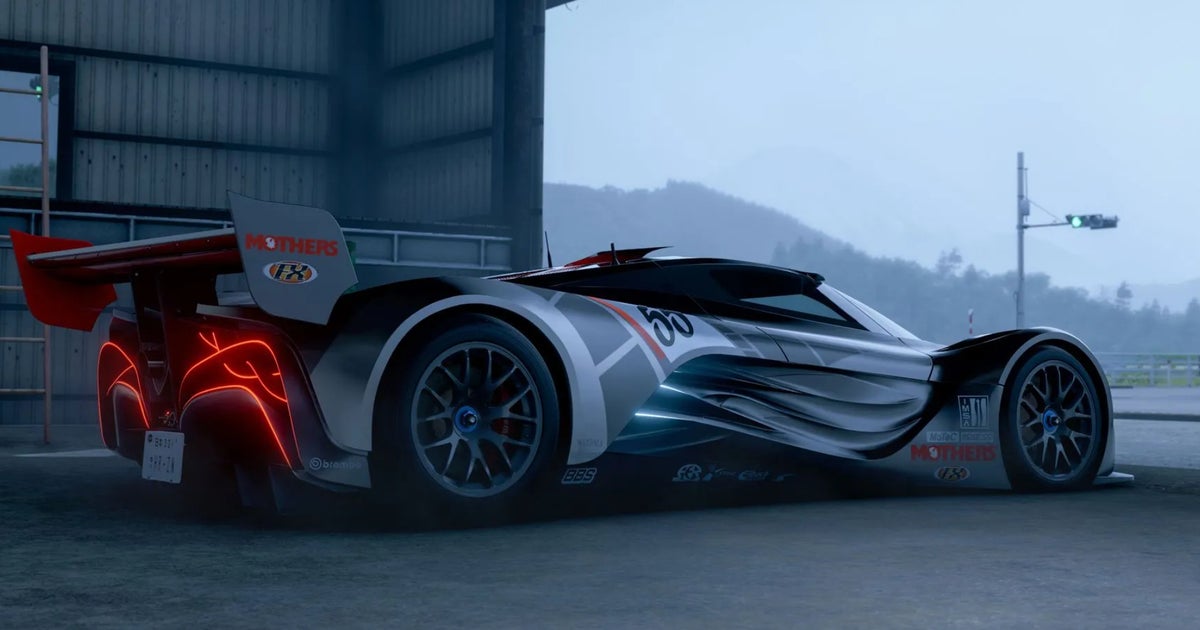
Track your progress at the top of the Festival Playlist screen. The Mazda Furai will likely be awarded at 140 points (out of a possible 180). If you’re short, recheck any missed daily challenges or try the Forzathon Live events – they can give 2–3 points per session. Also, every PR stunt has a “seasonal” version that gives extra points; don’t ignore those.
Step 7: Claim Your Reward
Once you cross the required point threshold, the Mazda Furai will automatically be added to your garage. You may also receive an on-screen notification. You can then equip it from the My Cars tab. Congratulations! You now own one of the most eccentric concept cars in Forza history.
Common Mistakes
- Ignoring Daily Challenges – Each daily gives only 1–2 points, but missing them over a week can cost you 10+ points – enough to push you below the threshold.
- Leaving Everything for Sunday – The weekly challenge often has time-gated chapters (e.g., “complete a race on a certain day”). If you start late, you may run out of time.
- Not Renting the Required Car – Some challenges require a car you don’t own. The game often provides a free rental option – look for the “Rent” button in the event menu. Using a rental still counts for points.
- Forgetting to Update the Game – If the Festival Playlist doesn’t appear, you may need to manually check for updates. On Xbox, go to My Games & Apps; on PC, force an update via the Microsoft Store or Steam.
- Assuming the Furai Is an Easy Unlock – It’s the top reward, so be prepared to invest 5–8 hours of playtime over the week. Don’t expect to get it in one sitting.
Summary
The Mazda Furai is the headline reward for Forza Horizon 6’s first Festival Playlist series, kicking off on May 21st. By following the systematic approach outlined above – understanding point thresholds, completing weekly and daily challenges, and avoiding common oversights – you can add this rotary-powered concept to your collection. Remember: stay consistent, use rental cars when needed, and check the playlist daily. With a bit of planning, the Wankel engine’s iconic hum will be yours to command.
Related Articles
- Your Complete Guide to Unlocking Every Playable Character in Lego Batman: Legacy of the Dark Knight
- Epic Games Adjusts Fortnite D4vd Cosmetics After Murder Charge
- Pixel 10 Pro XL Crashes by $500 in Friday Flash Sale; Lenovo Legion Go 2 Hits All-Time Low
- New Day RP Hits 5-Year Milestone: GTA Roleplay's Most Accessible Server Outlines 2026 Roadmap
- 5 Reasons the Logitech G Pro X Superlight 2c Is the Ultimate Gaming Mouse at an Unbeatable Price
- Paranormal Activity: Threshold Cancelled: What Went Wrong?
- Forza Horizon 6 Festival Playlist Launches with Rare Mazda Furai Concept - Breaking News
- Navigating Arc Raiders' New Release Rhythm: A Player's Guide to the Bi-Annual Update Model